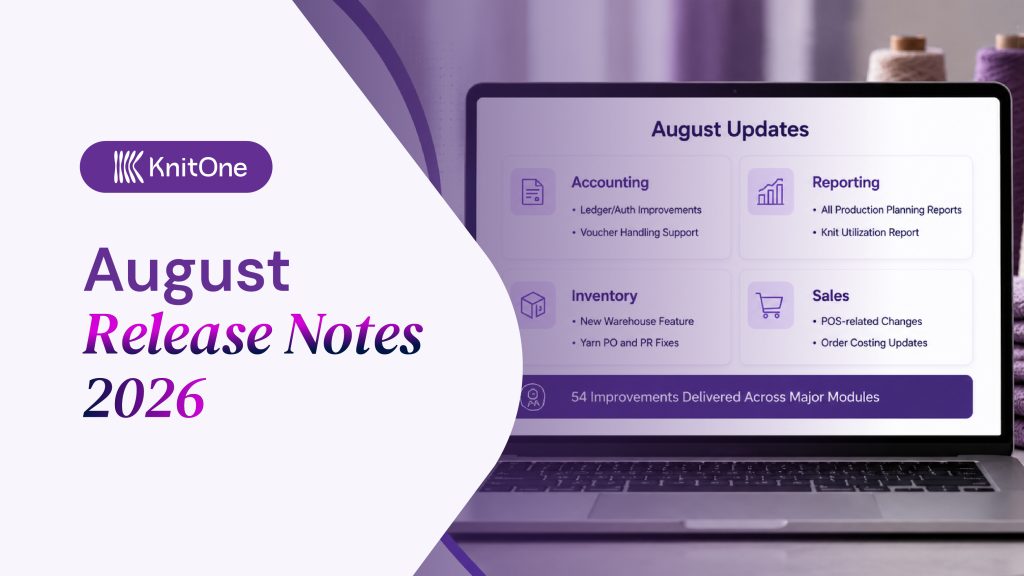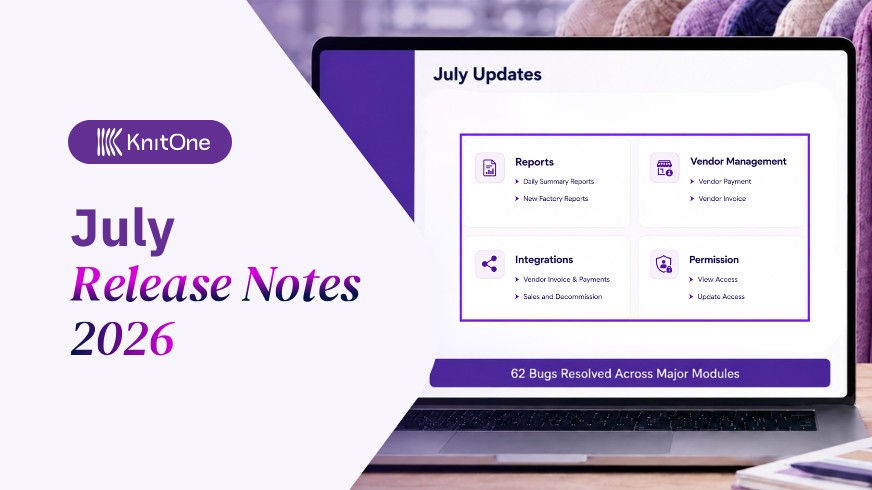

In the month of April, team KnitOne focused on operational improvements with concentrated steps on strengthening sales and client management, refining yarn handling, cleaner inventory, and stronger order visibility.
The development team also worked on improving control across key execution modules.
What Are the Major Updates of April in KnitOne?
The major updates made in April and their impacts on factory operations are explained below.
1. Detailed Reports of Each Production Stages
In the Item Stock Ledger, the layout has been modified to display Item Group, Description, Specification, and Details in a single row.
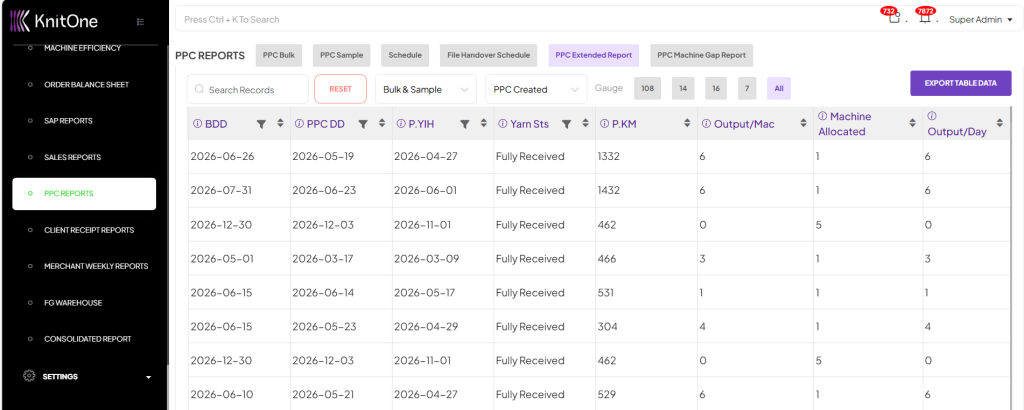
Two new reports have been added to the PPC Reports section: the PPC Extended Report and the PPC Machine Capacity Gap Report. Also, the PPC Extended Report was improved to show locked orders clearly, with gauge-wise editing control.
The FG Warehouse Ledger report was made accessible with authorized permissions. Also, this report now features Transaction Code filters to match the functionality found in other system reports.
A new Daily Summary Report has been created for a centralized view of daily activities within the consolidated report. Also, this report now flags orders as ‘At Risk’ when the calculated PPC delivery date exceeds the buyer’s delivery date by more than 7 days.
Impacts:
- Faster stock and FG tracking with key item details and movement records in one place.
- Stronger production planning control with early delay alerts before delivery commitments are affected.
- Better machine workload planning with six-month capacity visibility to avoid overload or idle time.
- Quicker daily decision-making with centralized reports that reduce repeated checks across operations.
2. Better Packaging and Sales Management
Packaging Orders has been improved with an Excel download option for the TRF Packing List. Downloaded files across GSR, SGS, and TRF now also show proper file names instead of the default “download.” Also, the Stock Good Sales Invoice List is now more structured for easier handling.
Numerous additions were made on POS Sales in the Sales section. It is provided with its own menu, Master Search, improved pagination, clearer invoice and transaction views, visible remarks, discount amount display, and corrected VAT calculation.
Impacts:
- Makes packaging downloads clearer, faster to identify, and easier to share.
- Improves POS sales billing, tracking, and transaction review.
- Reduces invoice errors through corrected VAT and clearer discount details.
3. Stronger Yarn Handling and Quantity Clarity
Several updates were made to improve yarn-related control and make material movement easier to interpret during execution.
Yarn approval has been made clearer with color-coded usable quantities in Approve Yarn Indent and Approve Yarn PO. Along with this, the system now ignores void PO prices and reflects only approved PO prices during approval.
Yarn PO management has also been enhanced with a BoQ ID search filter and a Download PO/Order Details PDF option.
To improve tracking accuracy, Yarn Receive and Yarn Issue History now show both date and time, while Yarn Indent HAB detail view has been optimized for faster loading.
Impact:
- Reduces approval confusion by making yarn quantity status easier to identify.
- Improves pricing accuracy by preventing void PO rates from affecting approvals.
- Makes PO searching and document access faster for users.
- Strengthens yarn traceability with more precise receiving and issuing records.
- Saves user time by improving loading speed during Yarn Indent review.
4. Improved Costing Discipline and Order Linkage
Updates were made to the costing workflow to make style-based costing faster and more structured. In the costing section, once a Style ID is selected, the related style details appear automatically.
The Costing Playground has also been strengthened with a Save option, while the Import Costing function has been supported through API integration and import button fixes.
Impacts:
- Speeds up costing preparation by reducing manual data entry.
- Improves accuracy by pulling style details directly from the selected Style ID.
- Makes draft costing work easier to save and continue later.
- Simplifies bulk costing imports and reduces import-related interruptions.
5. Better Inventory Accuracy and Validation Control
The Approve Asset Transfer and Approve Transfer pages now display entries from all branches in one place. It allows users to filter those records by source branch and destination branch.
Now, the item details can no longer be edited during approval to maintain data consistency.
Additionally, a warning message is made to appear if item details are up to 80% similar, helping flag closely matching entries.
Impacts:
- Better control over the inventory item approval process across multiple branches.
- Helps identify similar or duplicate entries before approval.
- Improves consistency and reliability in inventory transfers.
6. Enhanced Order Management and Job Work
When closing an order, the system first checks if there is any yarn remaining (in stock / unused) for that order. If there is, a pop-up will appear showing the details of that yarn before the order is closed. Also, the last modified date is to be kept empty when no changes have been made to the selected order.
In Order – Job Work, separate permissions have been created for the New Issue and New Return buttons under Issue/Return RM Job Work.
Impacts:
- Keeps order modification records accurate by showing changes only when made.
- Helps users review leftover yarn before closing orders and unlocking stock.
- Improves permission control for raw material issues and return actions.
7. Sample Tag Accuracy and Better Data Presentation
A new Sample Tag Printing page has been added to the Styles Management module. It generates printable tags from style data for sample garments and development pieces.
To improve this feature, a checkbox has been added to the Create New Sample Tag page. Likewise, the Master Search option has also been introduced here, along with permission settings to control user access.
Impacts:
- Makes sample garment identification faster, clearer, and better organized.
- Controls the costing price visibility before printing sample tags.
- Improves search efficiency and user access control.
Other Key Tasks Performed
- Manage Machines has been updated so the Last Modified Date reflects the latest machine status change.
- Client Management now includes Created By and Created Date in the HAB view.
- New Costing has been improved with columns frozen up to the Style section for easier navigation.
Bug Fixes & Improvements
In addition to the major tasks above, 48 critical bugs were resolved to ensure a smoother user experience. Some of the major ones are highlighted below:
- Yarn issuing has been corrected to work even when the usable quantity shows zero, but stock exists in a locked quantity.
- Costing issues, including MUP rate not saving and creation errors, have been stabilized.
- Missing and incorrect costing data, such as size visibility, costing ID, and Out Freight values, have been resolved.
- PPC planning inconsistencies, especially KED (Knitting End Date) mismatches, have been synchronized across views.
- Yarn BoQ locking errors, despite available inventory, have been corrected.
- Dashboard issues, including missing approval modules and incorrect approval counts, have been brought in line with system data.
- Stock sale inconsistencies, including incorrect warehouse mapping, missing notifications, and UI-level errors, have been resolved.
These updates and fixes strengthen KnitOne ERP’s ability to handle the knitwear factory’s core factory areas: inventory, yarn handling, costing, sales, production planning, and reporting. Moreover, these improvements continue to strengthen KnitOne as a tailored ERP built specifically for knitwear manufacturers.
For More Enticing Updates, Subscribe to Our Newsletter.