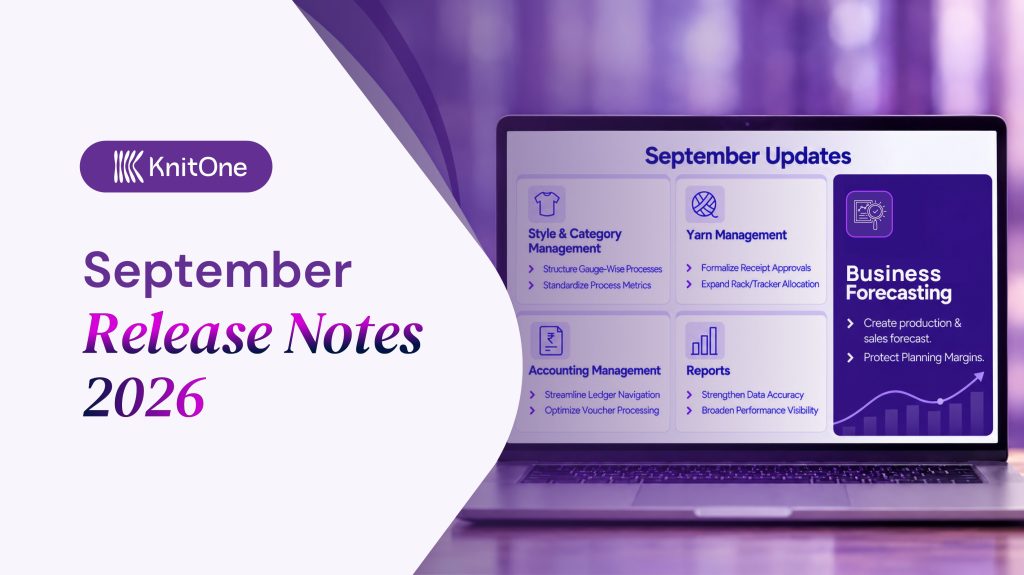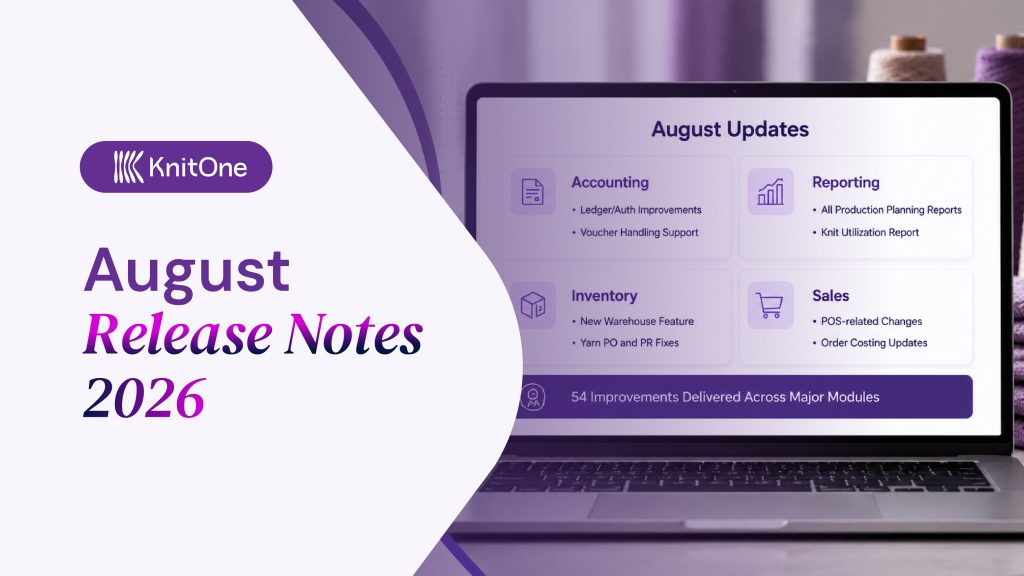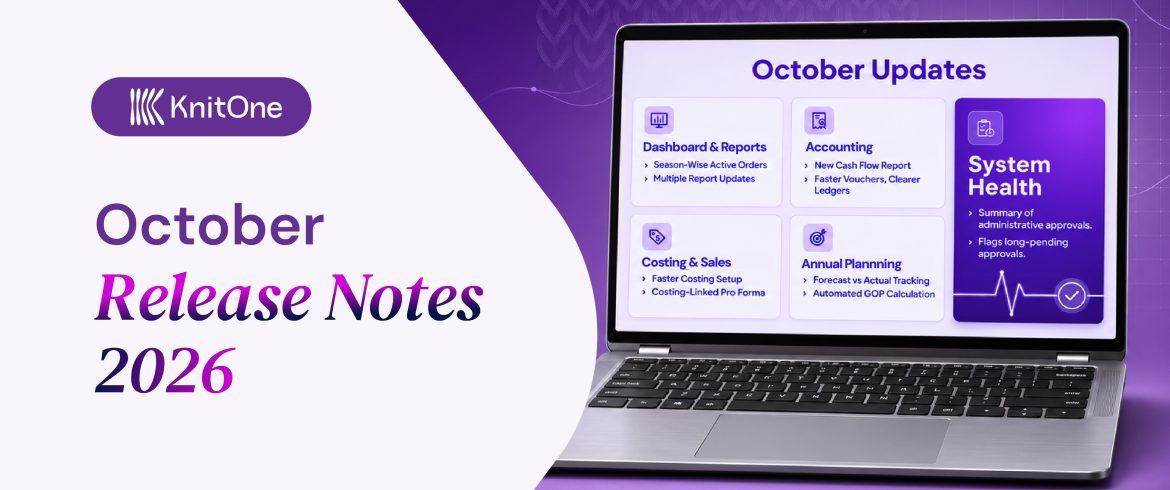

In October, team KnitOne focused on improving its modules. They specifically focused on tightening control over costing, accounts, reporting, and planning. Along with that, enhancements in inventory, eCommerce, style management and WhatsApp integration were also made.
To be specific, the team completed 47 major tasks and resolved 58 bugs, along with some support and change requests.
Let’s get into the details of the updates made in KnitOne during the month of October 2026.
1. Cleaner Insights and Consistent Figures Across Operations
The Dashboard was redesigned to match the new KnitOne look, with a cleaner Summary tab.
The Active Sample and Active Bulk cards now break down orders and pieces by season, using short season codes (SS, AW, CH, HO). A calendar icon switches the view to by year. The cards can also be filtered to Export or Domestic.
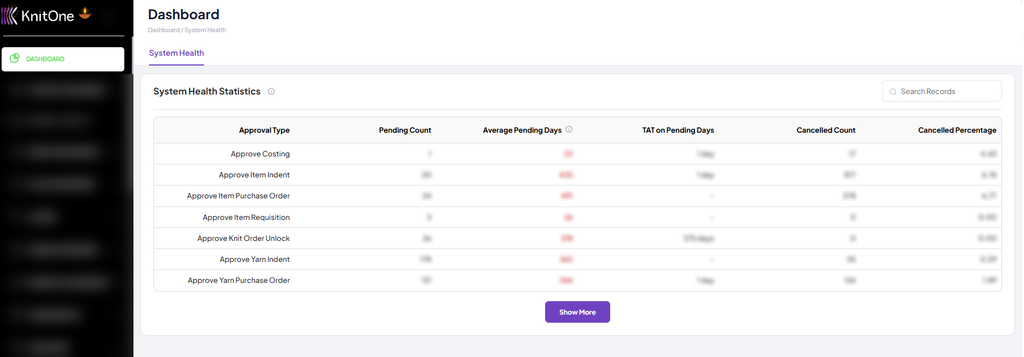
Approval status was also moved to System Health tab. The system tab is a summary of administrative approvals. It shows pending count, average pending days, turnaround time, and cancellations for each approval type.
Multiple Reports were updated with new features. Some of them are listed below:
- The WIP Ageing report now saves a snapshot for each date. This means the figures stay the same every time you view or download the report.
- The Production Report now shows the New Season along with the year. Daily Bulk and Daily Sample keep their own date ranges.
- The Item Movement and Ageing of Item Stock report now tracks each item from opening to closing balance, with average and oldest ageing days. Issued assets now reduce stock and appear in the “AISSU – Issue Asset (OUT)” column.
- The YDR Wastage report now allows selecting today’s date as the end date. It can be filtered by date range, order status, and order type.
- Client Payment Reports has a new Upcoming Payments tab. It lists sales bills still awaiting client payment.
- A new Pending Invoice report was added under Sales Reports. It helps in tracking invoice entries in KnitOne. Item and yarn receipt reports now also show the GRN number on every line.
- Accounting Reports has a new Sales Report for any selected period. Excel downloads now list the filters applied.
- The new Cash Flow report was added. This shows opening balance, inflows, outflows, and closing balance by month and year to date. Click any amount to see its entries. The report can be downloaded in Excel as well.
Impacts:
- Faster decisions with key order and approval data
- Earlier action on approval bottlenecks before delays
- More reliable reporting for management reviews and audits
- Better season-wise planning and comparison across years
- Reduced dead stock and capital tied up in ageing inventory
- Improved cash collection through timely payment follow-ups
- Fewer missed or delayed invoices across purchasing and sales
- Stronger financial control over cash inflows and outflows
Also read our blog: What are the Important Reports for Sweater Manufacturers?
2. Faster Vouchers, Accurate Ledgers, and Correct Receipts
Now, voucher entries are faster. When one side of a voucher is entered, the balancing amount fills in on the other side automatically.
The TDS ledger can now be selected while creating a voucher. The TDS rate can be chosen from a list, such as 1%, 1.5%, 2.5%, or 10%.
GRNs and vendor invoices for service items are now posted to the SR/IR Clearing ledger. Each entry includes document currency, FX rate, and document amount.
In addition, a single payment or receipt can now be tagged against multiple invoices. Also, client receipts now use the Grand Total for Order Value and Sales Total, so the pending amount matches what the client owes.
Impacts:
- Less manual effort and fewer balancing errors in daily voucher entry
- Accurate tax deduction and compliance-ready TDS records
- Correct and transparent accounting of service purchases
- Easier reconciliation of foreign-currency transactions
- Faster payment settlement with less duplicate entry work
- Cleaner books, with a clear match between payments and invoices
Don’t forget to check our KnitOne’s Accounting Module.
3. Numerous Enhancements Across Costing, Sales, and POS
Factory overhead, general overhead, profit, and rejection are now set once in Costing’s Configuration and filled into every costing automatically. These values must be set up for a costing to be completed.
In Manage Costing, an existing costing can now be copied using New Costing > “Select From Existing”. Also, any costing can now be downloaded to Excel from its actions menu.
Each style line now has its own Remark field in the Costing Playground form. Notes can now be added for each style separately.
When a costing is edited, the FOB now updates according to the selected size, so a larger size results in a higher FOB. Also, changing the payment terms recalculates the Interest, Conversion, and FOB values.
In the sales section:
Pro forma invoices and orders are now tied to approved costings. A pro forma invoice can only be raised for styles whose costing is linked and approved, and styles without one are tagged “COSTING NOT LINKED”.
When an Order ID is selected on a pro forma invoice, KnitOne fills in the linked costing, so rates do not have to be typed again. Also, Manage Orders of Order Management now shows a ‘Costing Linked’ column.
KnitOne’s latest module, KnitOne POS was revamped. Its workflow was streamlined.
Impacts:
- Faster costing creation with standard overheads and profit
- Quicker setup of similar styles through duplication
- More accurate FOB and interest calculations
- No invoicing without an approved costing
- Accurate rates carried from costing to invoice
- Smoother point-of-sale operations
Also Read: KnitOne’s Merchandising & Costing Module.
4. Tracking Annual Forecasts Against Actual Performance
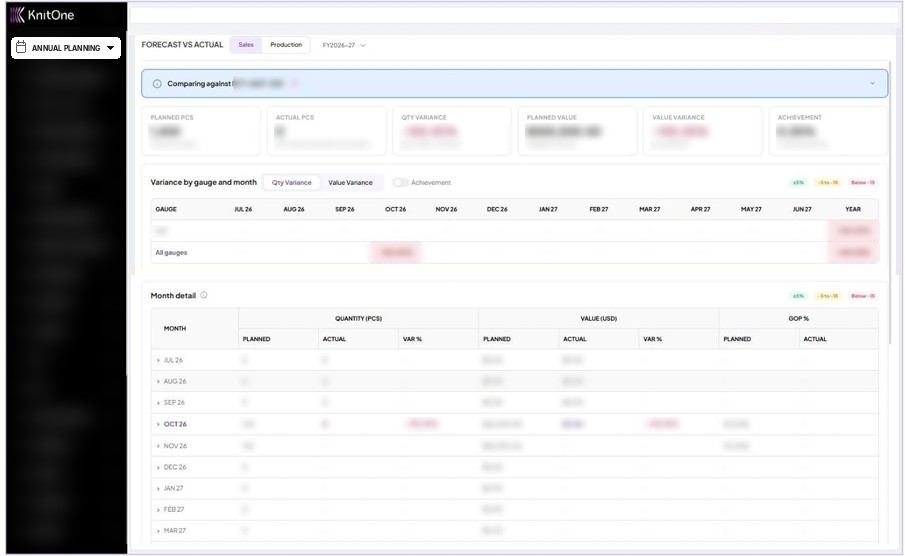
Annual Planning received a new Forecast vs Actual view. Users can choose Sales or Production along with the fiscal year.
The KPI tiles of Forecast vs Actual include planned pieces, actual pieces, quantity variance, planned value, value variance, and achievement.
A variance heatmap is also available, showing variance by gauge and month. In Month Detail, any month can be expanded to see its gauge-wise breakdown.
Forecast costing was also refined. CMTP $ is now entered directly, and GOP $ is calculated automatically.
In addition, existing forecasts keep their current profit figures; sales and production data can be imported and exported.
A new Production Planning Module permission group was introduced under Manage Roles.
Impacts:
- Clear comparison of planned versus actual sales and production
- Faster identification of gauges and months that are off-target
- Reduced manual calculation of gross operating profit
- Consistent figures between the screen and exported files
- Better control over who can create, edit, and approve forecasts
5. Error-Free Item Setup and Clearer Storage Tracking
Item creation was made more structured in inventory management. When the Item Type is selected, KnitOne fills in the rest.
For Asset and Service items, the Category Type is automatically set to Indirect and the Item Category to Asset or Service, and both fields are locked. For Consumable items, the Category Type is set to Direct, and the Item Category can be selected.
The service items are not held as stock, so they no longer show a stock quantity.
Yarn storage tracking was also improved. One yarn tracker can now hold yarn on more than one rack. Manage Trackers now show each rack along with the quantity it holds, for example “Rack-007 (204.175 KG), RACK-1575 (93.000 KG)”.
Move Quantity of yarn inventory now shows readable tracker names with rack codes instead of internal IDs.
Impacts:
- Faster and error-free item setup
- Consistent categorisation of assets, services, and consumables
- Stronger control over purchase values
- Flexible yarn storage across multiple racks
- Easier identification of yarn locations
Don’t forget to check our KnitOne’s Yarn Inventory Module and Inventory Management Module.
6. Instant Approval Updates and Scheduled Reports via WhatsApp
Now, the approval updates are posted directly to the WhatsApp group.
When a yarn or item decommission, FG migration, or FG decommission is approved, a card is posted showing the approver, the approval time, and the approved details.
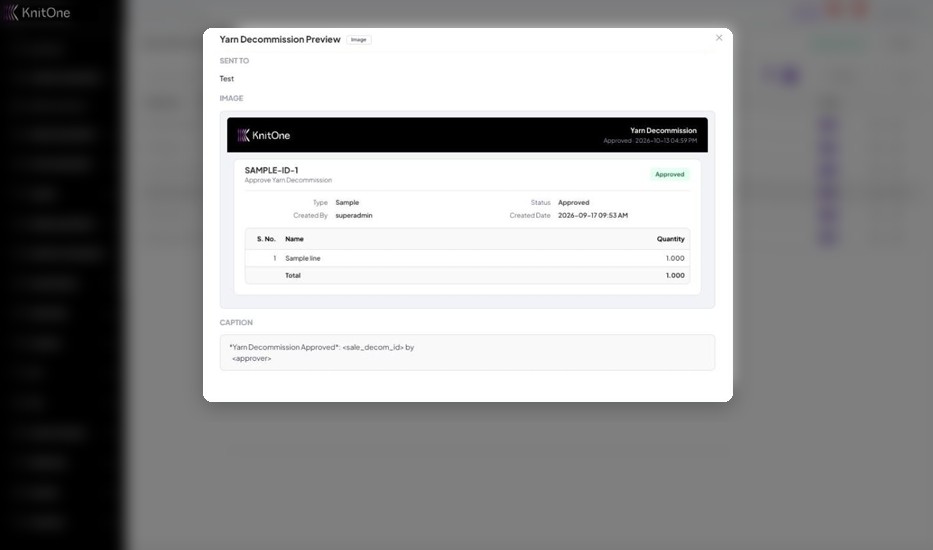
Each card can be previewed from Notifications, and sent messages can be reviewed in Logs.
Two new scheduled WhatsApp reports were also introduced: Daily Health Status and PPC Booking Heatmap. Each report can be enabled or disabled, or run instantly using Run Now.
Impacts:
- Instant visibility of approvals for the whole team
- Clear record of who approved what and when
- Regular capacity and health updates without logging in
Other Important Updates
Some additional improvements were delivered across supporting modules:
- Employees can now be mapped to processes with an efficiency percentage. Likewise, Process Map History shows every change, who made it, and when.
- A new Manage Tags feature was added to an Ecom CMS support building collection.
Bug Fixes and Improvements
Across the October releases, Team KnitOne resolved 58 bugs. Some of the key fixes include:
- Inventory Management: Receive Item now saves without errors, item category handling was corrected, and duplicate or lingering Approve/Reject buttons and auto-selected items on approval pages were fixed.
- Yarn Inventory: Errors in Receive Yarn, yarn purchase return, past-date yarn purchase orders, and Yarn Sale decommission approval were resolved, along with UI issues across several pages. While creating a yarn indent, a clear message now appears when the rate is zero, and ticking Is FOC? disables the VAT field.
- Costing: Duplicate costing IDs after changing the client, errors while approving costing, value mismatches in duplicated costings, and incorrect validation messages were corrected. Issue of FOB not matching in create costing and edit costing was fixed.
- Accounting & Vouchers: Vouchers now save without errors, and the Sales Register now shows totals, and NPR in the rate header.
- PPC: PPC Configuration no longer accepts empty or zero values while editing.
- Reports: Return Datewise downloads and exchange rates of Yarn Stock were fixed.
- Sales: Sales invoices now generate correctly with the payment schedule, payment dates no longer shift on save, and different Due In options now give different payment dates.
- Annual Planning: RM $ and CMTP $ now accept zero without an error. Conversion percentage in the exported file matches the screen, and Month Detail shows a Total row.
- Orders & Production: Editing a production order works again, orders can no longer be locked without a costing, and QR printing from Knit Orders History was restored.
- Dashboard: Season rows no longer overlap, season data now sums up to total pieces, and years are sorted in chronological order.
- Others: Fixes were made in Style Management file uploads, Manage Employee HAB details, YDR Yarn Store Issue/Return, and invalid dates on the Notifications page.
Final Takeaways
KnitOne’s October release notes show major improvements across six key areas: Dashboard and Reports, Accounting, Costing and Sales, Annual Planning, Yarn and General Inventory, and WhatsApp Integration.
Alongside these major updates, several smaller enhancements in Employee process mapping, the POS module, and Ecom CMS were made.
With these tasks completed and bugs resolved, October focused on improving accuracy, visibility, and control across day-to-day operations.
Overall, these updates make KnitOne Intelligence a more connected and dependable core of KnitOne, further strengthening its position as the best ERP for sweater manufacturers.